Malwarebytes Plus Review (2026): Is the Premium Security + VPN Bundle Worth
Affiliate Disclosure: As an Amazon Associate, LoyaDigital earns from qualifying purchases. If you click on the links in this article and make a purchase, we may receive a small commission at no extra cost to you.
Introduction: Why Traditional Antivirus Is No Longer Enough
In today’s hyper-connected digital landscape, cyber threats have evolved far beyond simple computer viruses. Content creators, remote workers, freelancers, and everyday internet users constantly face sophisticated ransomware, zero-day exploits, phishing scams, aggressive browser trackers, and unsecured public Wi-Fi networks. Relying solely on basic built-in operating system defenses leaves critical gaps in both your device security and your online privacy.
This is where Malwarebytes Plus (Premium Security + Privacy VPN) enters the picture. For years, Malwarebytes has held a sterling reputation as the go-to remediation tool for removing stubborn malware that traditional antivirus suites miss. With the Malwarebytes Plus 1 Year, 4 Devices edition, the company combines its flagship real-time threat prevention engine with a high-speed, zero-log Virtual Private Network (VPN) under a single subscription.
In this comprehensive Malwarebytes Plus review, we break down its core features, multi-device compatibility, real-world dashboard usability, pricing value on Amazon, and whether it is the right digital security suite for your workflow.
Quick Product Overview and Technical Specifications
Before diving into our deep-dive analysis, here is a snapshot of what you get with the Malwarebytes Standard or Plus (Premium Security + VPN) digital code on Amazon:
Product Name: Malwarebytes Plus (Premium Security + Privacy VPN) Subscription Term: 1 Year (12 Months) Device Coverage: Up to 4 Devices simultaneously Supported Platforms: Windows (7, 8, 8.1, 10, 11), macOS (Big Sur 11, Monterey 12, Ventura 13, Sonoma 14+), Android, Apple iOS, Chrome Delivery Format: Digital Online Code (Instant Download and Activation) Retail Price on Amazon: $92.99 (Annual License) Customer Rating: 4.4 out of 5 Stars (103+ Verified Ratings)
What Is Malwarebytes Plus?
Malwarebytes Plus is an all-in-one cybersecurity and digital privacy suite designed to protect up to four personal or professional devices under a single annual license. Unlike legacy antivirus programs that bloat your system resources with unnecessary pop-ups and sluggish background scans, Malwarebytes focuses on lightweight, AI-driven threat intelligence paired with encrypted internet browsing.
The Plus tier bridges two essential pillars of modern digital safety:
-
Malwarebytes Premium Security: Proactive, real-time protection against malware, ransomware, spyware, malicious websites, and zero-day exploits.
-
Malwarebytes Privacy VPN: A built-in, next-generation WireGuard-powered Virtual Private Network that encrypts your internet traffic, masks your real IP address, and shields your data on public Wi-Fi hotspots.
By bundling both tools into one clean interface, users eliminate the need to pay separately for an antivirus subscription and a standalone VPN provider.
Key Features of Malwarebytes Premium Security + VPN
Real-Time Threat Prevention and Multi-Layer Defense Traditional antivirus software relies heavily on signature databases meaning a virus must already be known and cataloged before your software can stop it. Malwarebytes takes a proactive, multi-layered approach: Web Protection: Automatically blocks access to known phishing sites, malvertising networks, and fraudulent scam domains before the page even loads in your browser. Ransomware Protection: Uses proprietary behavioral monitoring technology to detect and stop ransomware attacks from encrypting your personal photos, client projects, or financial documents. Exploit Mitigation: Shields vulnerable applications such as web browsers, PDF readers, and office suites from zero-day exploits that hackers use to inject malicious code. Malware and Spyware Removal: Continuously scans and neutralizes Trojans, adware, rootkits, and potentially unwanted programs that slow down your system.
Integrated Privacy VPN (Powered by WireGuard) Privacy is just as critical as malware protection, especially if you work from coffee shops, airports, hotels, or coworking spaces. Inside the Malwarebytes dashboard, toggling on Malwarebytes VPN instantly routes your connection through an encrypted tunnel. Strict No-Logs Policy: Malwarebytes does not track, record, or sell your browsing history or network traffic. Global Server Network: Connect to dozens of high-speed server locations worldwide including the US, UK, Canada, Sweden, Germany, and Japan to protect your IP address. Modern Encryption Protocols: Built on the modern WireGuard protocol, the VPN delivers fast connection speeds suitable for 4K streaming, cloud backups, and large file transfers without frustrating lag.

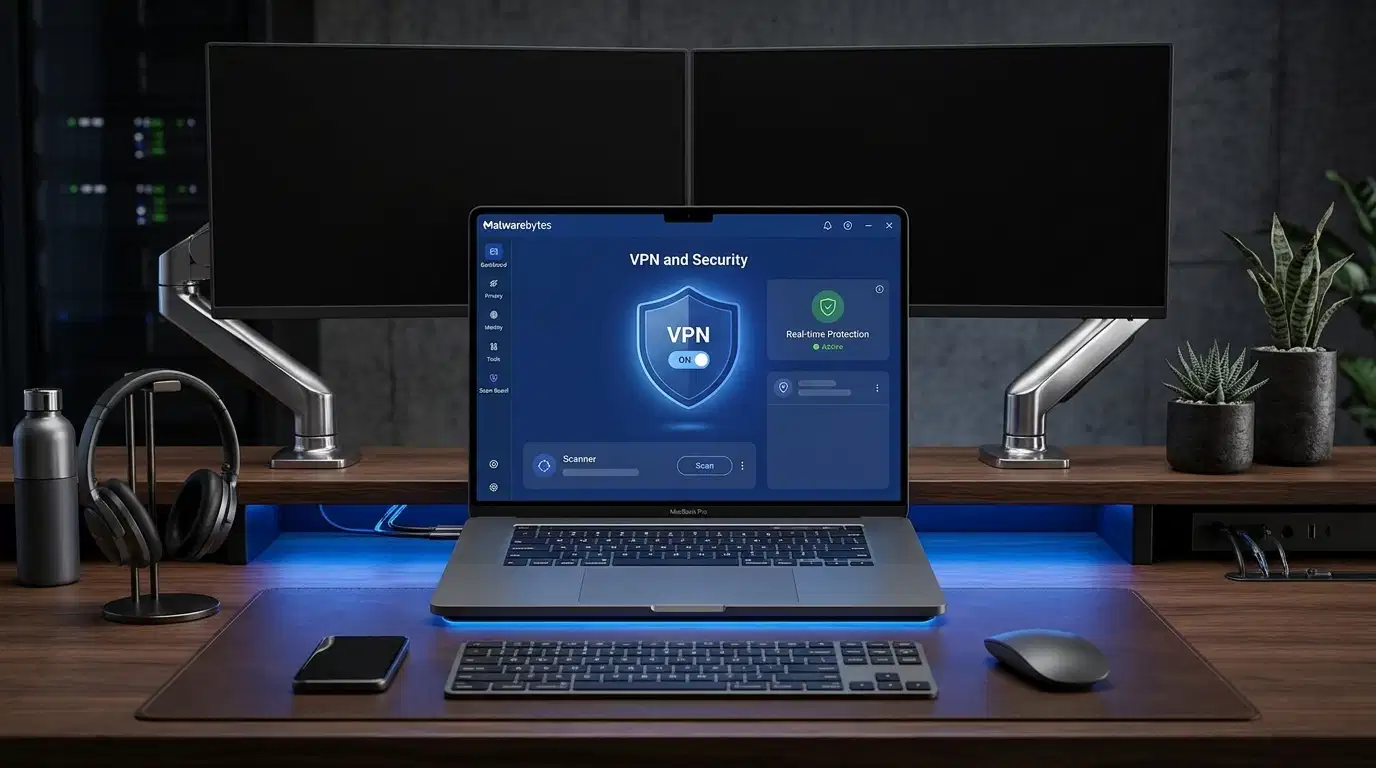
Trusted Advisor and Intuitive User Dashboard One of the standout aspects of the Malwarebytes experience is its clutter-free, beginner-friendly user interface. When you open the desktop application, the Trusted Advisor panel displays a clear Protection Score out of 100 alongside actionable recommendations to maximize your security posture.
From a single left-hand navigation menu, you can access: Dashboard: View real-time protection status, toggle your VPN on or off with one click, and check your masked IP location. Scanner: Run on-demand Threat Scans or customize automated periodic schedules. Detection History: Review quarantined threats and blocked malicious connections. Privacy and Identity Tools: Manage VPN server locations and monitor digital footprint exposure. Scam Guard: An intelligent layer designed to help identify suspicious links and online scams before you fall victim.
Cross-Platform Compatibility for 4 Devices Modern digital workflows rarely happen on a single screen. A single Malwarebytes Plus 1-Year subscription covers 4 devices across every major operating system: Windows PCs: Full support from Windows 7 through Windows 11. Apple Mac: Native support for macOS Big Sur, Monterey, Ventura, Sonoma, and newer releases. Smartphones and Tablets: Dedicated mobile apps for Android and Apple iOS (iPhone and iPad). Browser Integration: Seamless protection inside Google Chrome to block trackers and malicious scripts.
Performance and System Impact: Does It Slow Down Your Computer?
A common complaint with heavy internet security suites is noticeable system slowdown during background scans. Because Malwarebytes was engineered from the ground up as a lean, cloud-assisted security engine, its footprint on CPU and RAM remains remarkably low.
During active browsing with Real-Time Protection and Malwarebytes VPN both enabled, background memory usage stays minimal, allowing video editors, developers, and multitaskers to run demanding software without stutter. Scheduled scans can also be configured to run during idle hours so your workflow is never interrupted.
Pros and Cons of Malwarebytes Plus
To help you make an objective decision, here is a balanced look at the strengths and limitations of this security bundle:
Pros: Two Essential Tools in One: Combines top-tier anti-malware protection with a fast, no-log Privacy VPN. Generous 4-Device Coverage: Easily protects a primary laptop, desktop workstation, smartphone, and tablet under one subscription. Clean, Ad-Free Interface: No confusing menus, constant upsell pop-ups, or bloated system utilities. Industry-Leading Zero-Day and Ransomware Defense: Catches modern threats that traditional signature-based antivirus tools often overlook. Instant Digital Delivery: Buying via Amazon provides immediate access to your digital online code for fast setup.
Cons: US Regional Restriction on Amazon Digital Code: The Amazon digital license listed is currently available to customers located in the United States. Non-Returnable Digital Item: As with most digital software licenses on Amazon, the code is non-refundable once purchased. No Built-In Password Manager: Unlike a few mega-suites, it focuses strictly on device security and VPN privacy rather than password vaulting.
How to Download, Install, and Activate Malwarebytes Plus
Getting started with your Amazon digital purchase takes less than five minutes:
-
Purchase the Digital Code on Amazon: Select the Premium + Privacy VPN (1 Year, 4 Devices) edition and complete your checkout.
-
Retrieve Your License Key: Navigate to Your Account, Your Games and Software Library on Amazon or check your confirmation email to view your activation key.
-
Download the Installer: Visit the official Malwarebytes website or follow the direct download link provided in your Amazon software library.
-
Activate Your Subscription: Open the installed Malwarebytes app, click Activate License, enter your key, and sign in to your Malwarebytes account to manage all 4 device slots effortlessly.
Malwarebytes Plus vs. Traditional Antivirus Suites
How does Malwarebytes Plus compare to conventional security suites like Norton, McAfee, or Bitdefender?
While traditional suites often bundle dozens of extra features—such as PC registry cleaners, cloud backup storage, and parental controls—those extras frequently bloat the software and slow down older machines. Malwarebytes takes a streamlined, high-precision approach: it focuses strictly on stopping active cyber threats and encrypting your internet connection. If you prefer fast performance, zero bloatware, and a modern interface that stays out of your way until a threat appears, Malwarebytes Plus is a superior choice.
Who Should Buy Malwarebytes Plus?
Content Creators and YouTubers: Protects your high-value editing workstation and YouTube or social accounts from phishing links and info-stealer malware. Remote Workers and Digital Nomads: Keeps sensitive client data encrypted when connecting to hotel, airport, or cafe Wi-Fi networks via the built-in VPN. Families and Multi-Device Users: One $92.99 annual license secures up to 4 Windows, Mac, iOS, or Android devices simultaneously. Users Frustrated with Heavy Antivirus Software: Ideal if you want quiet, reliable background protection without annoying notifications.
Frequently Asked Questions
-
Can I use Malwarebytes Plus on both Windows and Mac? Yes. A single 4-device subscription works across mixed operating systems, meaning you can install it on a Windows desktop, a MacBook, an iPhone, and an Android tablet simultaneously.
-
Does Malwarebytes Plus include a full VPN or a limited version? The Malwarebytes Plus (Premium Security + Privacy VPN) edition includes the full, unlimited Privacy VPN for all 4 covered devices, with access to global server locations and WireGuard encryption.
-
Does Malwarebytes replace Windows Defender? Yes. Once you activate Malwarebytes Premium Security on Windows 10 or Windows 11, it registers as your primary real-time antivirus and anti-malware solution, eliminating software conflicts while offering stronger web and ransomware protection.
-
How does the 1-Year subscription work on Amazon? When you purchase the 1 Year, 4 Devices Online Code edition on Amazon, you receive a digital activation key immediately after checkout. Your 12-month protection period begins as soon as you activate the license on your first device.
-
Will Malwarebytes VPN slow down my internet speed? While all VPNs add a slight encryption overhead, Malwarebytes uses the lightweight WireGuard protocol, preserving fast download and upload speeds for streaming, video calls, and everyday browsing.
Final Verdict: Is Malwarebytes Plus Worth It?
At $92.99 per year for 4 devices, roughly $23.25 per device annually, or less than $2 per device per month, Malwarebytes Plus delivers exceptional value for anyone seeking comprehensive cybersecurity without system bloat. By uniting industry-trusted real-time malware defense with a fast, privacy-first VPN in one sleek dashboard, it covers the two biggest vulnerabilities facing modern internet users.
If you want set-and-forget protection across your computer and mobile devices, Malwarebytes Plus (Premium Security + VPN) is an easy recommendation.